

YaBasicを試す
Brainux上で動くBASICインタープリタを探してみたところ、
グラフィックもサポートしているのものとして、YaBasicというものが見つかりました。
△ yabasic グラフィック処理も可能なBASICインタープリタ
https://packages.debian.org/bullseye/yabasic
https://2484.de/yabasic
起動:yabasic
Yabasicは伝統的なBasicインタプリタです。goto文や様々なループ文を備え、サブルーチンやライブラリを定義できます。簡単なグラフィック処理や印刷も可能です。C言語で書かれたライブラリを呼び出せるため、スタンドアロンプログラムの作成も可能です。YabasicはUnixとWindowsで動作し、充実したドキュメントが用意されています。小型でシンプル、オープンソースで無料です。
Burainuxでも動作するグラフィック処理も可能なBasicインタープリタです。
インストール1:APT経由 ”sudo apt install yabasic”
(グラフィック機能利用時には、XLIB_SKIP_ARGB_VISUALS=1が必要)
インストール2:ソースからインストール
(グラフィックモードの不具合解消に挑戦して、
opwn window自体はできるようになったが、
その先の描画でエラーになるので挫折中)
ビルド時に-o3 -march=native指定することでの高速化はおそらくできます。
YaBasicの実行方法
YaBasicでBASICコードを実行するには、以下のような方法があります。
・BASICコードをファイルに保存して引数として呼び出す
yabasic ./demo.yab
・yabasicを起動して、BASICコードを入力していき、最後に何も入力しないでEnterを押す
yabasic
print “Hello”
Hello
ただし、xterm上で起動すると、文字の色指定がうまく表示されないときがあるので、
その場合は、brainuxデフォルトのターミナル(lxterminal)を使いましょう。
———-
また、グラフィック処理を使う場合にはそのまま起動するだけではエラーになります。
user@brain:~$ yabasic
open window 100,100
X Error of failed request: BadMatch (invalid parameter attributes)
Major opcode of failed request: 1 (X_CreateWindow)
Serial number of failed request: 18
Current serial number in output stream: 22
これは、yabasicが想定しているグラフィック環境と、実態(BrainuxのX環境)間のずれのせいでグラフィックウィンドウがうまく開けないためのようです。
この場合、以下のようにしてyabasicを起動してください。
これでグラフィックモードも開けるようになります。
XLIB_SKIP_ARGB_VISUALS=1 yabasic
毎回入力すのが大変であれば、以下のようにalias設定すれば、
ターミナル上で、「yabasic」と入力するだけでOKになります。
echo 'alias yabasic="XLIB_SKIP_ARGB_VISUALS=1 yabasic"' >> ~/.bashrc
source ~/.bashrc
ちなみに、Linux上では、.yab の1行目に以下のどちらかを書いておいて、
chmod +x hoge.yab と打って実行権限を付ければ、
./hoge.yab で実行できるようになるそうです。
#!/usr/bin/yabasic
#!/usr/bin/env yabasic
ただbrainuxの場合は、以下のようにラッパーを作成しての対応が必要そうです。
(この対応をするのであれば、alias設定は不要です)
$ sudo mv /usr/bin/yabasic /usr/bin/yabasic-brain
$ sudo vi /usr/bin/yabasic
#!/bin/sh
XLIB_SKIP_ARGB_VISUALS=1 /usr/bin/yabasic-brain “$@”
$ sudo chmod /usr/bin/yabasic
———-
YaBasicのサンプルプログラム
YaBasicのマニュアルは、「https://2484.de/yabasic/support.html」に書かれています。
また、関連サイト「https://2484.de/yabasic/related.html」から、yabasicで使えるBasicコードにたどり着くこともできそうです。
Brainで使う場合は、解像度問題があるのでそこは考慮しないといけませんが、
特にRosetta Codeは非常に参考になります。
いくつか、サンプルプログラムを動かしてみます。
(一部変更済済)
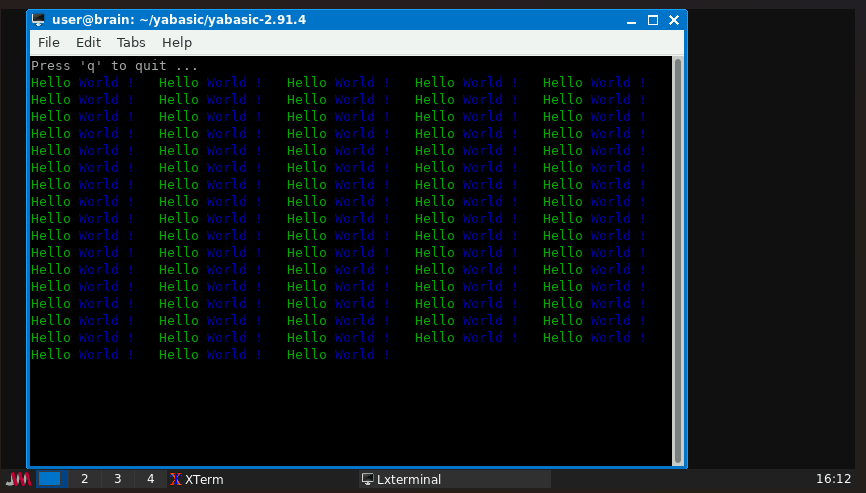
hello.yab Hello World表示
#!/usr/bin/yabasic
clear screen
print "Press 'q' to quit ..."
label again
print color("green") "Hello ";
print color("blue") "World !   ";
if (inkey$(1)="q") exit
goto again
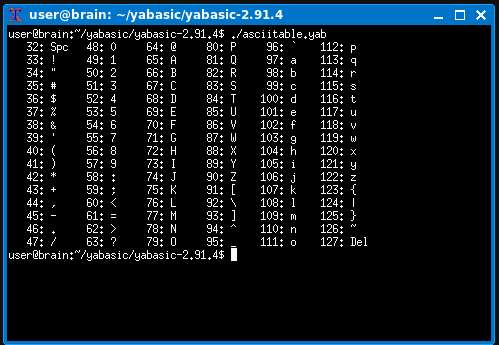
asciitable.yab アスキーコード表示
#!/usr/bin/yabasic
for i = 32 to 47
    for j = i to i + 80 step 16
	    s$ = chr$(j) + "  "
        if j = 32  s$ = "Spc"
        if j = 127 s$ = "Del"
		print str$(j, "#####"), ": ", s$;
    next j
    print
next i
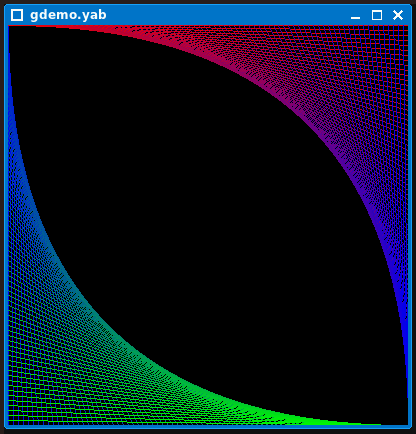
gdemo.yab グラフィック表示デモ
#!/usr/bin/yabasic
w = 400
open window w, w
sleep 1
label again
backcolour 0,0,0
clear window
for i=0 to w step 5
  v = 255 * i / w
  color 0, v, (255 - v)
  line 0, i, i, w
  color (255 - v), 0, v
  line i, 0, w, i
  pause 0.025
next i
sleep 3
goto again
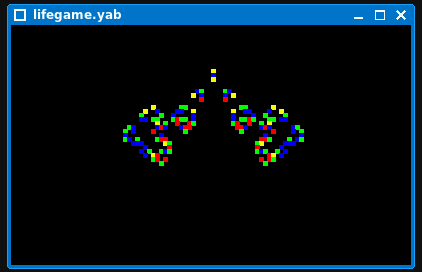
lifegame.yab ライフゲーム
#!/usr/bin/yabasic
// Game_of_Life

X = 59 : Y = 35 : H = 4

open window X*H,Y*H
backcolor 0, 0, 0

dim c(X,Y) : dim cn(X,Y) : dim cl(X,Y)

// Thunderbird methuselah
c(X/2-1,Y/3+1) = 1 : c(X/2,Y/3+1) = 1 : c(X/2+1,Y/3+1) = 1
c(X/2,Y/3+3) = 1 : c(X/2,Y/3+4) = 1 : c(X/2,Y/3+5) = 1

s = 0
repeat
    clear window
    alive = 0 : stable = 1
    s = s + 1
    for y = 0 to Y-1
        for x = 0 to X-1
            xm1 = mod(x-1+X, X) : xp1 = mod(x+1+X, X)
            ym1 = mod(y-1+Y, Y) : yp1 = mod(y+1+Y, Y)
            cn(x,y) = c(xm1,y) + c(xp1,y)
            cn(x,y) = c(xm1,ym1) + c(x,ym1) + c(xp1,ym1) + cn(x,y)
            cn(x,y) = c(xm1,yp1) + c(x,yp1) + c(xp1,yp1) + cn(x,y)
            if c(x,y) = 1 then
                if cn(x,y) < 2 or cn(x,y) > 3 then
                    cn(x,y) = 0
                else
                    cn(x,y) = 1
                    alive = alive + 1
                end if
            else
                if cn(x,y) = 3 then
                    cn(x,y) = 1
                    alive = alive + 1
                else
                    cn(x,y) = 0
                end if
            end if
            if c(x,y) then
                if cn(x,y) then
                    if cl(x,y) color 0, 0, 255          // adult
                    if not cl(x,y) color 0, 255, 0      // newborn
                else
                    if cl(x,y) color 255, 0, 0          // old
                    if not cl(x,y) color 255, 255, 0    // shortlived
                end if
                fill rect x*H,y*H,x*H+H,y*H+H
            end if
        next x
    next y

    pause 0.06
    // Copy arrays
    for i = 0 to X-1
        for j = 0 to Y-1
            if cl(i,j)<>cn(i,j) stable = 0
            cl(i,j) = c(i,j)
            c(i,j) = cn(i,j)
        next j
    next i
until(not alive or stable)

if not alive then
    print "Died in ", s, " iterations"
    clear window
else
    print "Stabilized in ", s-2, " iterations"
end if
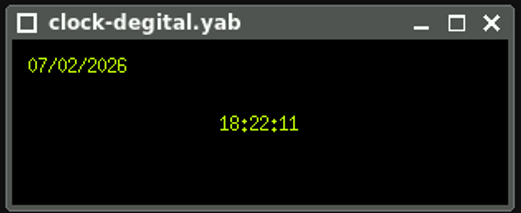
clock-degital.yab デジタル時計
#!/usr/bin/yabasic
clear screen
open window 300,100
backcolor 0, 0, 0
window origin "cc"

// Display digital clock
sub digital_clock()
    local t$(1), void
    static as$

    void = token(time$, t$(), "-")

    if t$(3) <> as$ then
        draw_clock(t$(1), t$(2), t$(3))
        as$ = t$(3)
    end if
end sub

sub draw_clock(hour$, mint$, ssec$)
    local d$(1), void

    void = token(date$, d$(), "-")
    clear window
    color 200, 255, 0
    text -140, -30, d$(3) + "/" + d$(2) + "/" + d$(4), ""
    text 0, 0, hour$ + ":" + mint$ + ":" + ssec$, "cc", ""
end sub

if peek$("library") = "main" then
    repeat
        digital_clock()
    until(upper$(inkey$(.01))="ESC")
    exit
end if
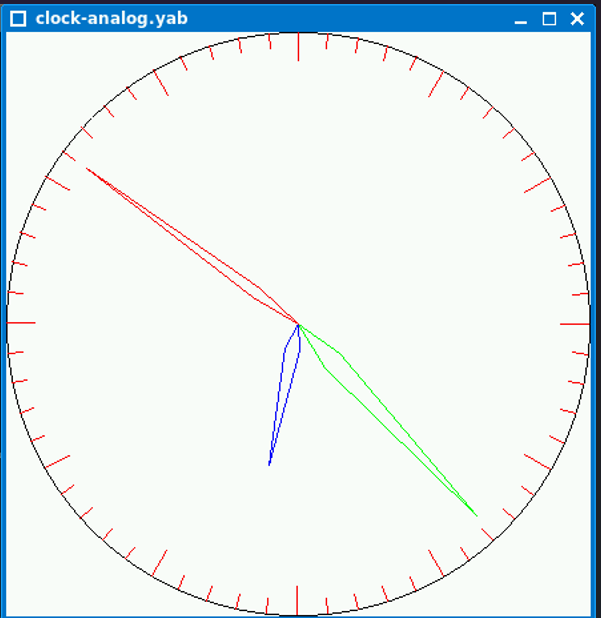
clock-analog.yab アナログ時計
#!/usr/bin/yabasic
REM yaclock
DEG_PER_RAD = 57.257751

winx = 440
winy = 440

radius = min(winx,winy) / 2 - 1
hx = (winx/2) - 1
hy = (winy/2) - 1

REM length of the hands (90% of the radius of the clock face)
shand = int(radius * .9)
mhand = int(radius * .9)
hhand = int(radius * .5)

REM drop coords by one since graphics are 0 based

winx = winx - 1
winy = winy - 1

clear screen

open window winx,winy

clockface()

do

    hour = val(mid$(time$,1,2))
    mins = val(mid$(time$,4,2))
    sec  = val(mid$(time$,7,2))

    updatehand("sec")
    updatehand("mins")
    updatehand("hour")

    pause .25

loop

sub updatehand(hand$)

    switch(hand$)
        case "sec"
            h_len = shand
            angle = sec * 6
            width = 6
            color 255,0,0
            ox = osx
            oy = osy
            oxm1 = osxm1
            oxm2 = osxm2
            oym1 = osym1
            oym2 = osym2
            break
        case "mins"
            h_len = mhand
            angle = mins * 6 + int(sec/10)
            width = 12
            color 0,255,0
            ox = omx
            oy = omy
            oxm1 = omxm1
            oxm2 = omxm2
            oym1 = omym1
            oym2 = omym2
            break
        case "hour"
            h_len = hhand
            angle = ((hour * 30) + (minutes / 12) * 6) + int(mins/2)
            width = 15
            color 0,0,255
            ox = ohx
            oy = ohy
            oxm1 = ohxm1
            oxm2 = ohxm2
            oym1 = ohym1
            oym2 = ohym2
            break
    end switch

    h_angle1 = angle - width
    if h_angle1 < 0 then
        h_angle1 = h_angle1 + 360
    endif
    h_angle1 = h_angle1 / DEG_PER_RAD

    h_angle2 = angle + width
    if h_angle2 > 360 then
        h_angle2 = h_angle2 - 360
    endif
    h_angle2 = h_angle2 / DEG_PER_RAD

    angle = angle / DEG_PER_RAD

    x = (hx + (sin(angle) * h_len))
    xm1 = (hx + (sin(h_angle1) * int(h_len * .2)))
    xm2 = (hx + (sin(h_angle2) * int(h_len * .2)))

    y = (hy - (cos(angle) * h_len))
    ym1 = (hy - (cos(h_angle1) * int(h_len * .2)))
    ym2 = (hy - (cos(h_angle2) * int(h_len * .2)))

    clear line hx,hy,oxm1,oym1
    clear line hx,hy,oxm2,oym2
    clear line oxm1,oym1,ox,oy
    clear line oxm2,oym2,ox,oy
    line hx,hy,xm1,ym1
    line hx,hy,xm2,ym2
    line xm1,ym1,x,y
    line xm2,ym2,x,y

    REM save off the old vals
    switch(hand$)
        case "sec"
            osx = x
            osy = y
            osxm1 = xm1
            osxm2 = xm2
            osym1 = ym1
            osym2 = ym2
            break
        case "mins"
            omx = x
            omy = y
            omxm1 = xm1
            omxm2 = xm2
            omym1 = ym1
            omym2 = ym2
            break
        case "hour"
            ohx = x
            ohy = y
            ohxm1 = xm1
            ohxm2 = xm2
            ohym1 = ym1
            ohym2 = ym2
            break
    end switch
end sub

sub clockface()
    circle hx,hy,radius

    htick = radius / 10
    mtick = htick / 2

    for z=0 to 360 step 6
        REM  Begin at zero deg and stop before 360 deg

        REM draw the hour markers
        angle = z
        angle = angle / DEG_PER_RAD
        x2 = (hx + (sin(angle) * radius))
        y2 = (hy - (cos(angle) * radius))
        if mod(z,30) = 0 then
            tick = htick
        else
            tick = mtick
        endif
        x3 = (hx + (sin(angle) * (radius - tick)))
        y3 = (hy - (cos(angle) * (radius - tick)))
        color 255,0,0
        line x2,y2,x3,y3
        color 0,0,0
    next z
end sub
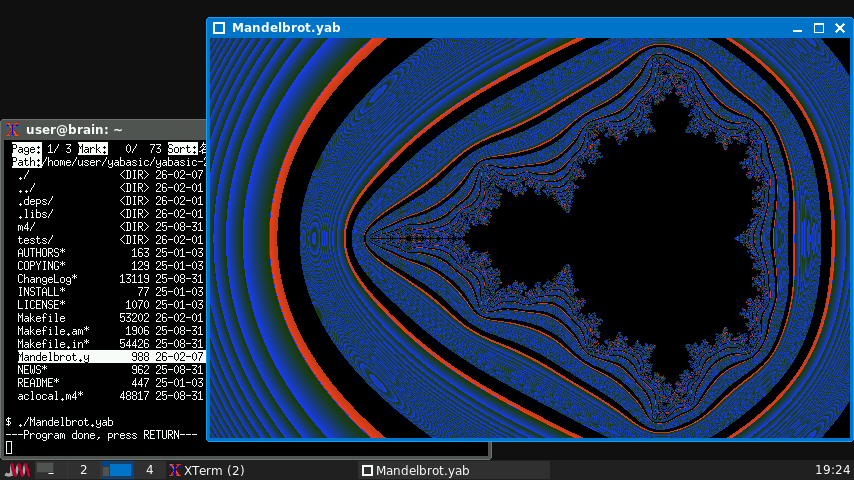
Mandelbrot.yab マンデルブロート集合描画
#!/usr/bin/yabasic
open window 640, 400
wid = 4
xcenter = -1: ycenter = 0
ms = 0
for xcoord = 0 to 639
   for ycoord = 0 to 200
       ms = 0
       ca =(xcoord-320)/640*wid+xcenter
       cb =(ycoord-200)/640*wid+ycenter
       x = 0: y=0

       for t = 1 to 20
           xnew = x*x-y*y+ca
           ynew = 2*x*y+cb
           x=xnew:y=ynew
           magnitudesquared=x*x+y*y
           ms = magnitudesquared
           if (magnitudesquared > 100) break
           //if(magnitudesquared < 100) then : color 0,0,0 : dot xcoord, ycoord : end if
       next t
       ms = ms+1
       if(ms > 250) then
       	    color 32,64,mod(ms,255)
            dot xcoord, ycoord
            dot xcoord, 400- ycoord
        elseif (ms > 150) then
            color mod(ms,255),64,32
            dot xcoord, ycoord
            dot xcoord, 400-ycoord
        else
            color 0,0,0
            dot xcoord, ycoord
            dot xcoord, 400-ycoord
        end if
    next ycoord
next xcoord
その他参考になるサンプルプログラムを公開しているサイト
その他いろんなサイトで、サンプルプログラムを見つけることができます。
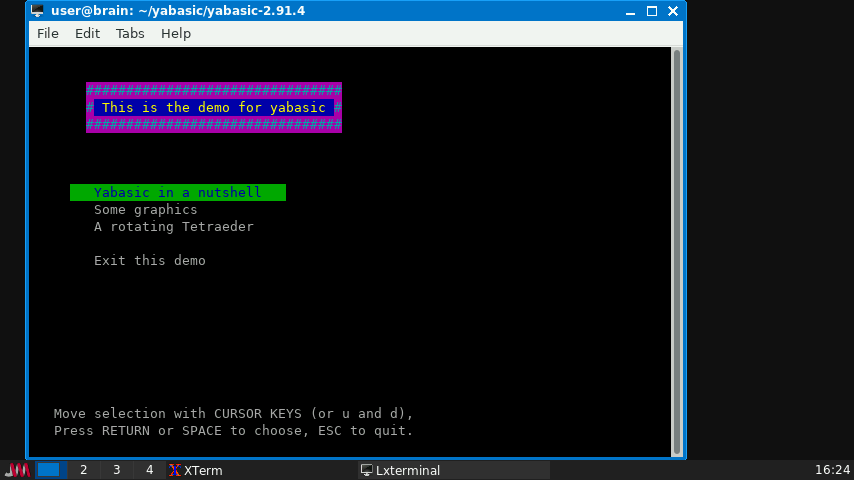
公式デモ
Yabasic公式ページ内にあるyabasicのソースコード内にある
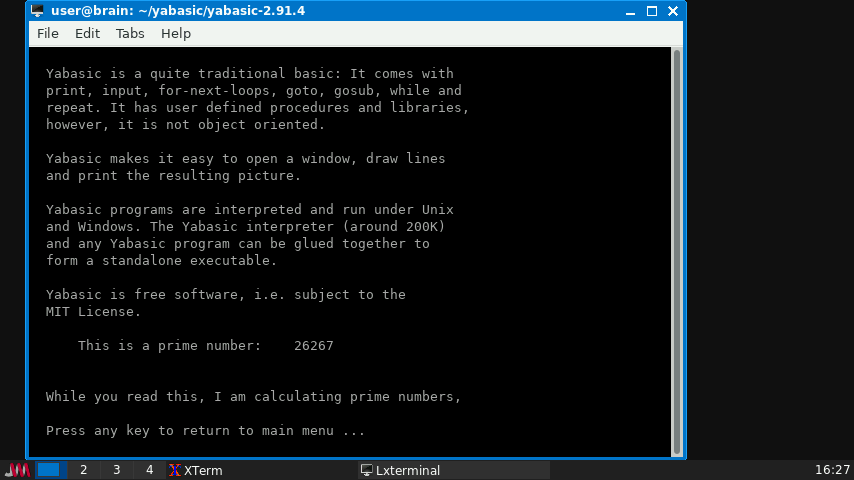
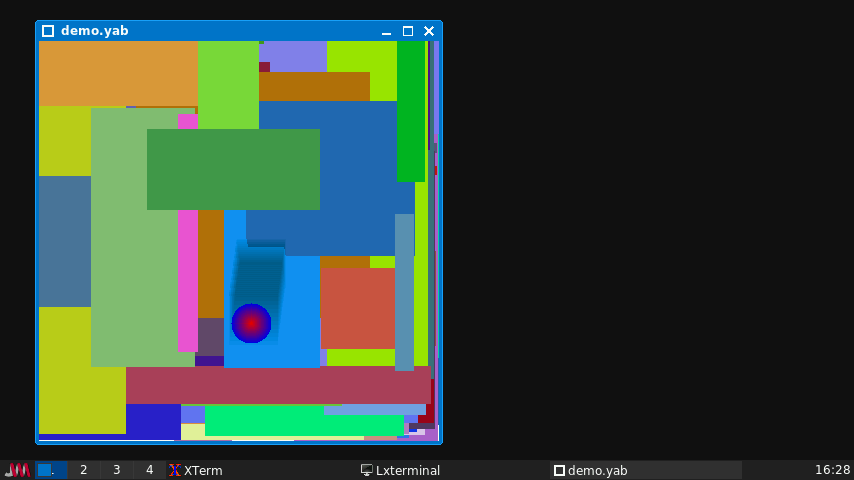
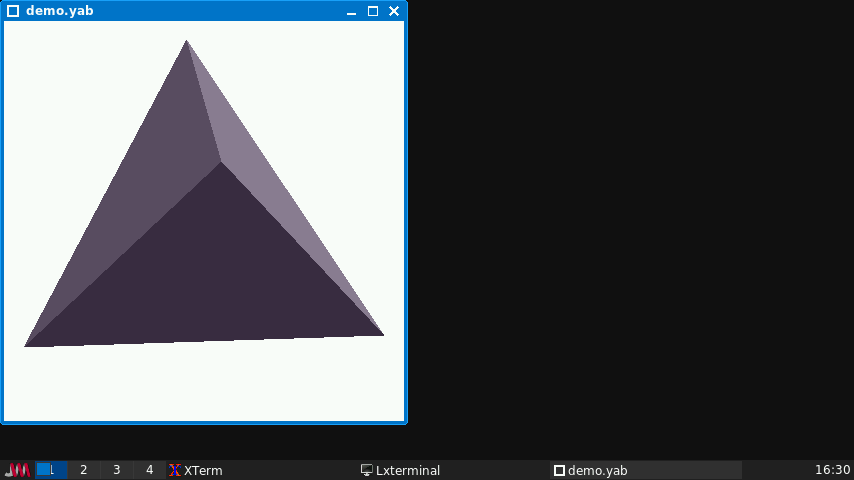
demo.yab を実行すると、
素数調査&テキスト横スクロールデモ、
グラフィックデモ、三角錐回転デモ
が見られます。
yabasic-examples
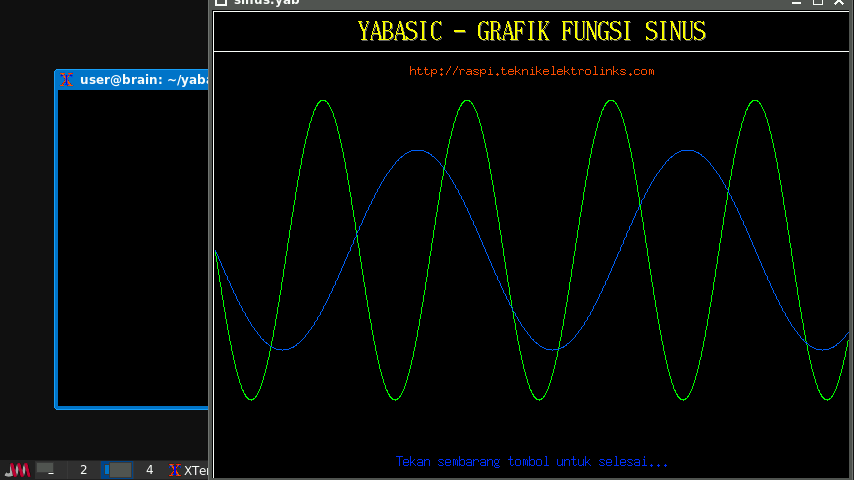
https://github.com/spartrekus/yabasic-examples
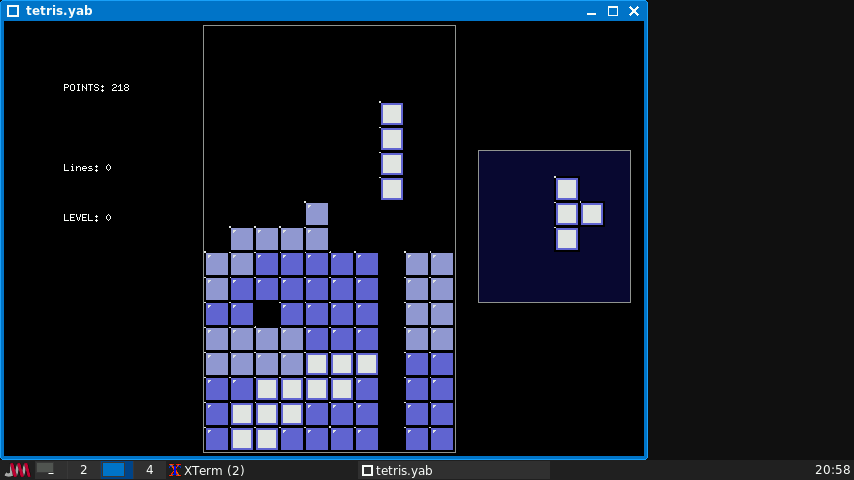
サインカーブ表示デモとテトリスが含まれています
(テトリスは解像度の関係で下部分が表示されていないので別途調整が必要です)
(2か所ほど数字を変えれば調整できますので、挑戦してみてください。)
(ヒント: 縦20行->17行にすれば、Window最前面化せずとも表示できます。)
Rosetta Code(YaBasic)
https://rosettacode.org/wiki/Category:Yabasic
いろんな言語でのサンプルプログラムが刑されていますが、YaBasicだけで大量のサンプルがあります(今回サンプルとして実行したものもここサイトのものをベースにしているものがあります)。
参考(PS2版YaBASIC)
PS2版YaBasicについて
ネット上で探すと、PS2用のyabasicソースもみつかりますが、
一部PS2専用に追加されている命令が使われているようで、Brainuxで利用可能でX11版では動きませんでした。
これは、PS2で追加されたBASIC命令がいくつかあるためです。
特にsetrgb命令がが頻出するようです(色のパレット変更命令ぽい?)。
ただ、Brainで利用可能なX1ポート版では未対応で、一時期本家に取り込むかという話はあったようですが、X11などでは実装は難しいとのことでペンディングになっているようです。
https://github.com/marcIhm/yabasic/issues/39
// Additions introduced with the PS2 version
void triangle(struct command *cmd);
void gtriangle(struct command *cmd);
void setrgb(struct command *cmd);
void setdrawbuf(struct command *cmd);
void setdispbuf(struct command *cmd);
PS2用のBasicをWin32ポートに移植したものや、
javascript実装したもの(Web上で実行できます)もあるので、
こちらで動かすことはできそうです。
Win32移植版
https://sourceforge.net/projects/win32yabasic
Javascript実装
https://www.mrdictionary.net/yabasic
PS2用ゲームプログラムについて
PS2用YaBasicソース
Yabasic for PS2
Yabasic for PS2 : Free Download, Borrow, and Streaming : Internet Archive
昔はPS2のゲーム機加税回避のため、一部の国でプログラミング言語を梱包したことがあるようで、その際に梱包されたのがこのYabasicの移植版だったそうです。
先ほどの通り、特殊な命令が追加されています。
上記のリックから、Ps2用のYaBasicソースが入手できます。
ただ、一部特殊な命令が使われているのと、Window解像度が640×512になっていることが多いので、ゲームレイアウト的にも厳しいものもあるかもしれません。
(Brainuxの解像度は縦480ですが、Windowの枠を考えるとを実質440-450くらいです。)
———-
Win32 PS2 YaBasic Samples
https://win32yabasic.sourceforge.net/samples.html
PS2版YaBasicのWindows移植版のサンプルプログラムです。
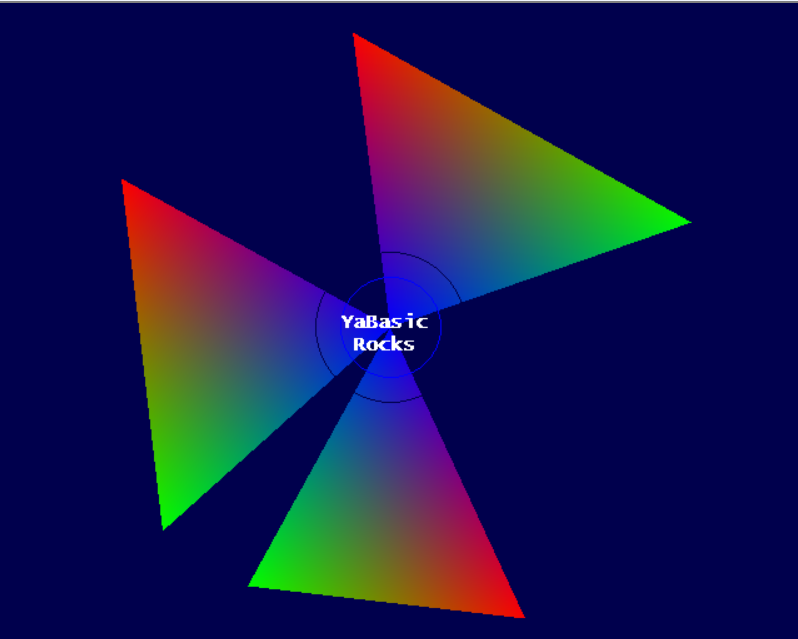
特に、「rotating_triangle」というグラフィックデモをBrainで動かしてみたかったのですが、
PS2版で追加された専用命令をメインで使用しているため、断念しました
(下の画像はJavascript実装上で実行したものです。)。
BasiC-256を試す
プログラミング学習用のBASIC動作環境とのことです。
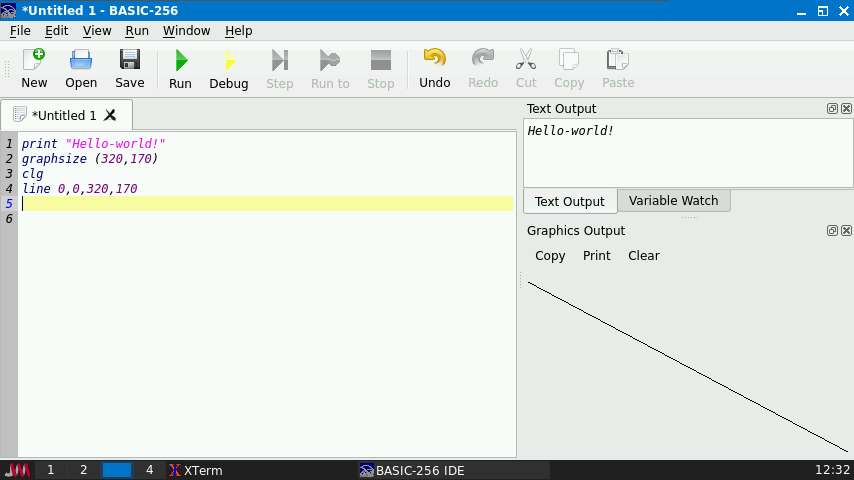
標準では、GUI表示されるウインドウの中に、
・エディタ部分、
・テキスト出力エリア、
・グラフィック出力エリア
が入っています。
また、変数確認エリアも追加できます。
ただ実行するだけでなく、デバック実行として、1行ずつ実行していくことも出来ます。
この際には」、変数確認エリアを見ながら確認することも出来るので、学習に役立つでしょう
〇 basic-256 (basic256) 子供向けの教育用BASICプログラミング環境
BASIC-256は、誰でも(特に中学生・高校生)にコンピュータプログラミングの基礎を教えられるように設計された、使いやすいBASICバージョンです。gosub、for/next、gotoといった伝統的な制御構造を採用しており、子どもたちがプログラムのフロー制御の仕組みを簡単に理解できます。グラフィックモードが組み込まれており、数分で画面に絵を描くことができます。
また、楽しい演習を通してプログラミングの概念を紹介する、詳細で分かりやすいチュートリアルも用意されています。
https://packages.debian.org/bullseye/basic256
https://basic256.org/
起動:basic256
ドキュメントも日本語はありませんが、用意されており、
このページにサンプルプログラムも紹介されています。
https://doc.basic256.org/doku.php
YaBasicと比べると遅いですが、実行結果の確認は楽です。
Brainで実行する場合は、Basic-256が統合環境のため、
各ウィンドウが小さくなってしますが、学習用途であれば何とかなるかもしれません。
グラフィックウィンドウについては、エディタ、テキスト出力エリア、グラフィックを同時に出力した場合で、調整すれば、縦幅170くらいは表示できそうです。
(グラフィックウィンドウについては、縮小化表示もできます[1/2(half),1/4(quarter))
出力結果をPDFで出力することも出来ます。
サンプルプログラムについて
サンプルプログラムとしては、以下からソースプログラムをダウンロードすれば、
中に入っていました(.kbsファイル)
https://sourceforge.net/projects/kidbasic/files
basic256_2.0.99.10.orig.tar.gz
solar_system.kbs
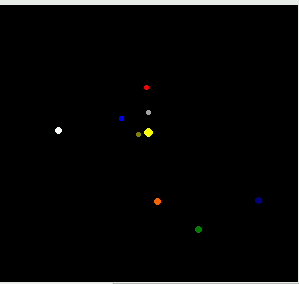
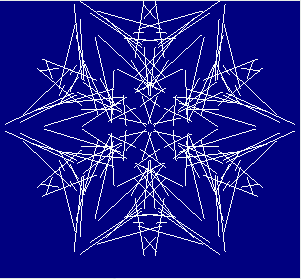
snowflakes.kbs
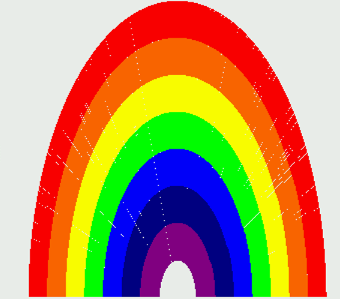
rainbow.kbs
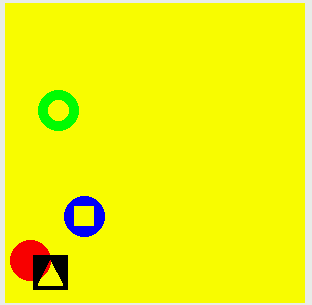
spriteslice.kbs
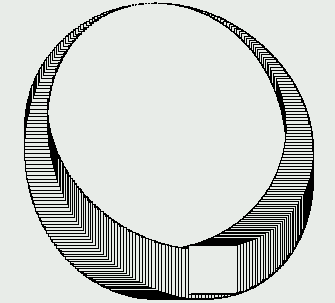
ring_01.kbs
その他参考になるサンプルプログラムを公開しているサイト
ドキュメントに掲載されているサンプルプログラム
https://doc.basic256.org/doku.php?id=start
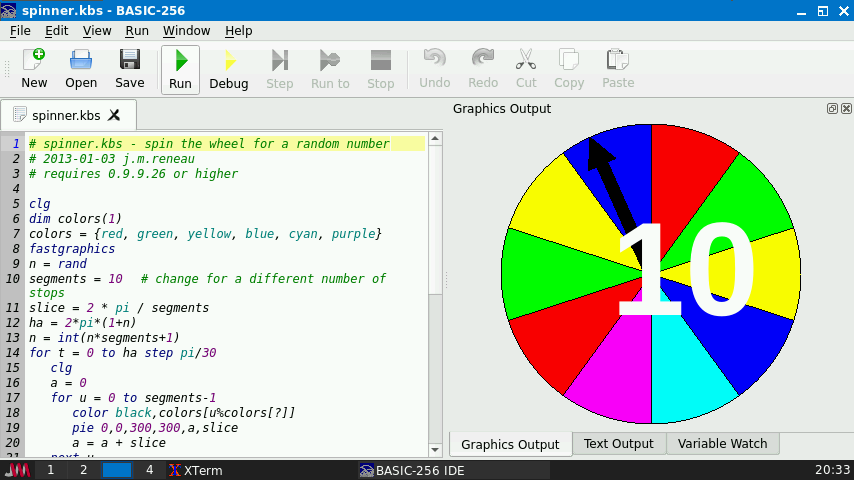
spinner.kbs 針が動いて1-10がランダムに選ばれます。
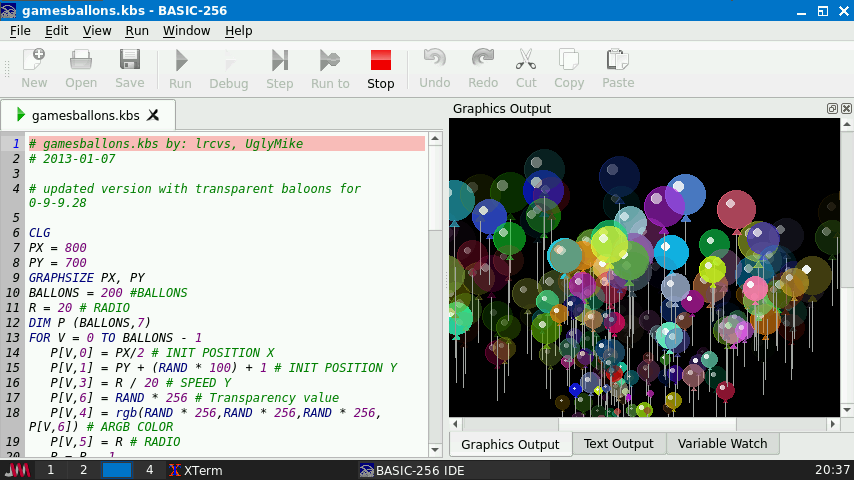
gamesballons.kbs 大量の風船が上に浮かんでいきます(がBrain上だとめっちゃ遅いです。)
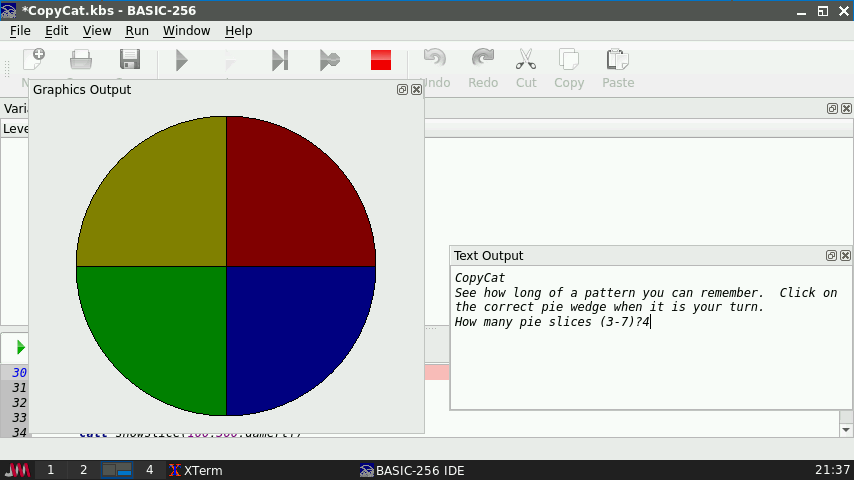
CopyCat.kbs サイモン的記憶ゲーム(実行には一部修正が必要)
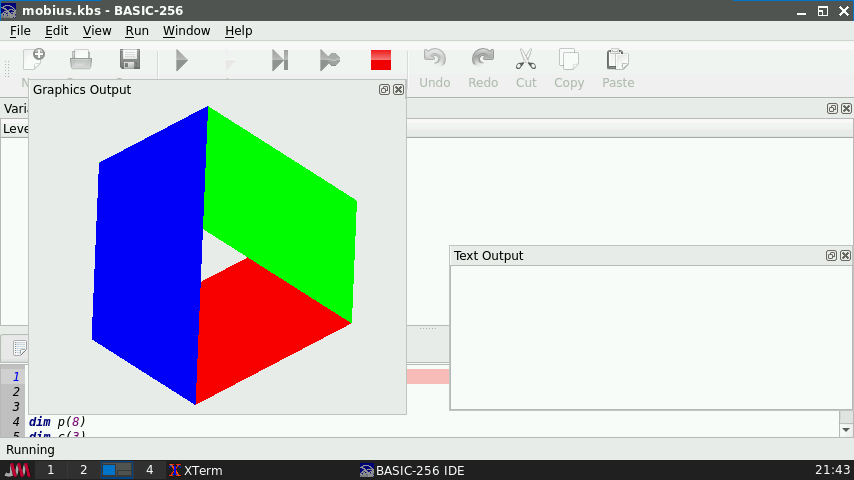
mobius.kbs アニメーション化されたメビウスの輪(スムーズに回転します)
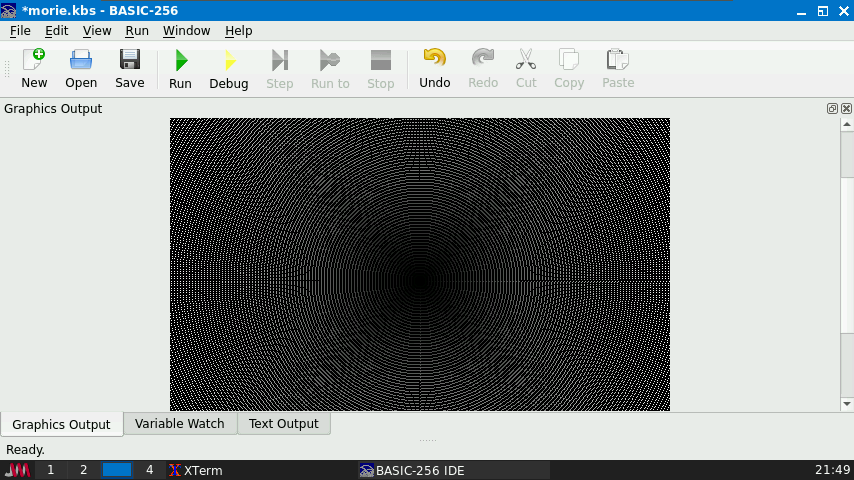
morie.kbs モアレ模様が表示されます。
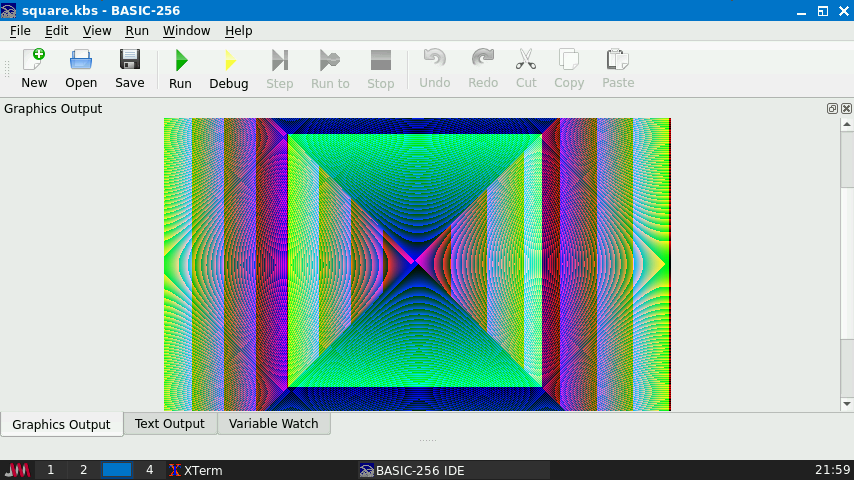
square.kbs スクエア・スパイラル
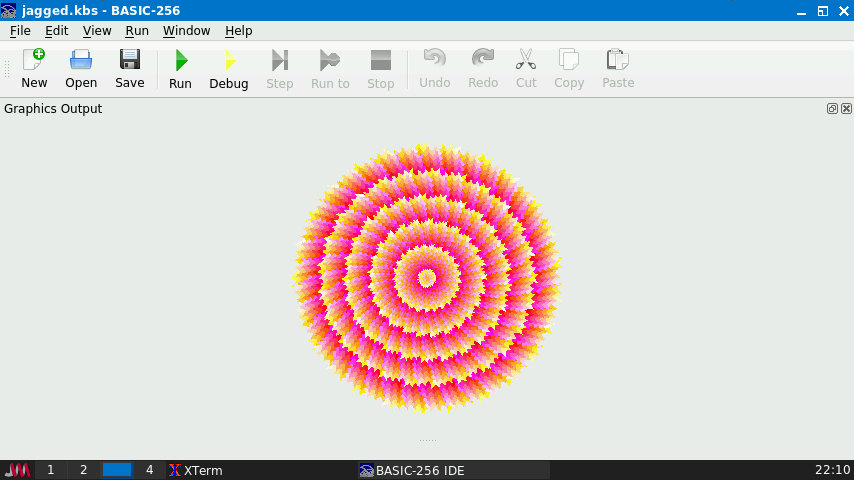
jagged.kbs Jagged Depths 三角形を使ってカラフルな円形を表示します。(1/2表示)
Rosetta Code(BASIC256)
https://rosettacode.org/wiki/Category:BASIC256
いろんな言語でのサンプルプログラムが刑されていますが、BASIC-256だけで大量のサンプルがあります。
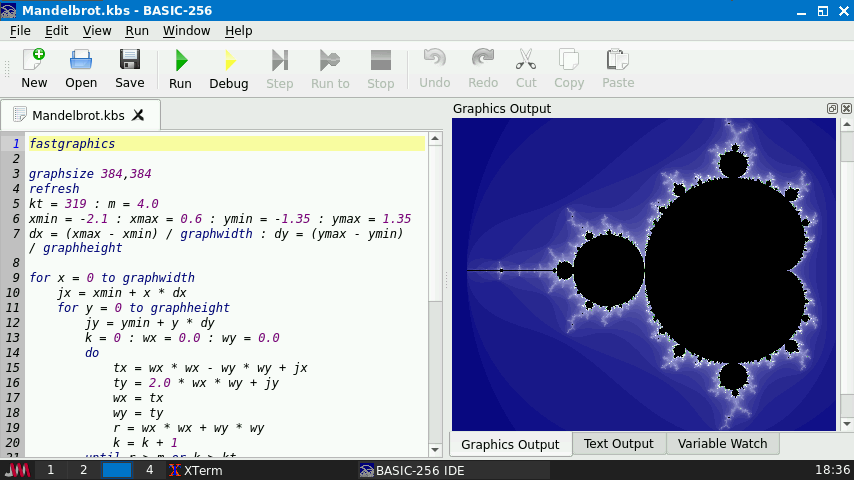
マンデルブロート集合描画
https://rosettacode.org/wiki/Mandelbrot_set#BASIC256
(全部表示されるまでに、1時間以上かかります。)
Basic Bits – Copy paste & run
BASIC-256で動作する各種プログラムを公開されています。
グラフィックデモの他に、いくつかのゲームも含まれています。
つづき
Views: 552
